Showing posts with label photography. Show all posts

Friday, August 2, 2013

Better Sports Pictures of Your Kids - DIY

The photography by the person who takes the soccer pictures for our league is truly awful.  I really mean it.  I have all sorts of respect for photographers of children out there.  It is not an easy job.  The photographers who have taken my kids hockey and lacrosse pictures have done a fantastic job!  But this soccer photographer?  It's like he knows he has the contract and he really doesn't care.  He doesn't know how to work with the light he has.  He over processes everything.  His pictures are all pixel-ly and the result is just weird looking kids.   Last year, I thought it was just an anomaly.  So I gave him another chance.  This year's pictures were just as bad.  What a waste of money!
Well, no more!  I took my own pictures (with my iPhone no less) and edited them with my Smilebox app to make them look like sports cards.  I printed them off at Costco for 14 cents a picture and the result is wonderful.  As long as that photographer is on the job, I will be taking my own pictures.  It's simply not worth it otherwise!

The picture taken by the professional photographer - note how darkly outlined my son is and the weird light.  My son just doesn't look like this in real life.

My photo of my son.  I took this with my iPhone and edited with Smilebox. 

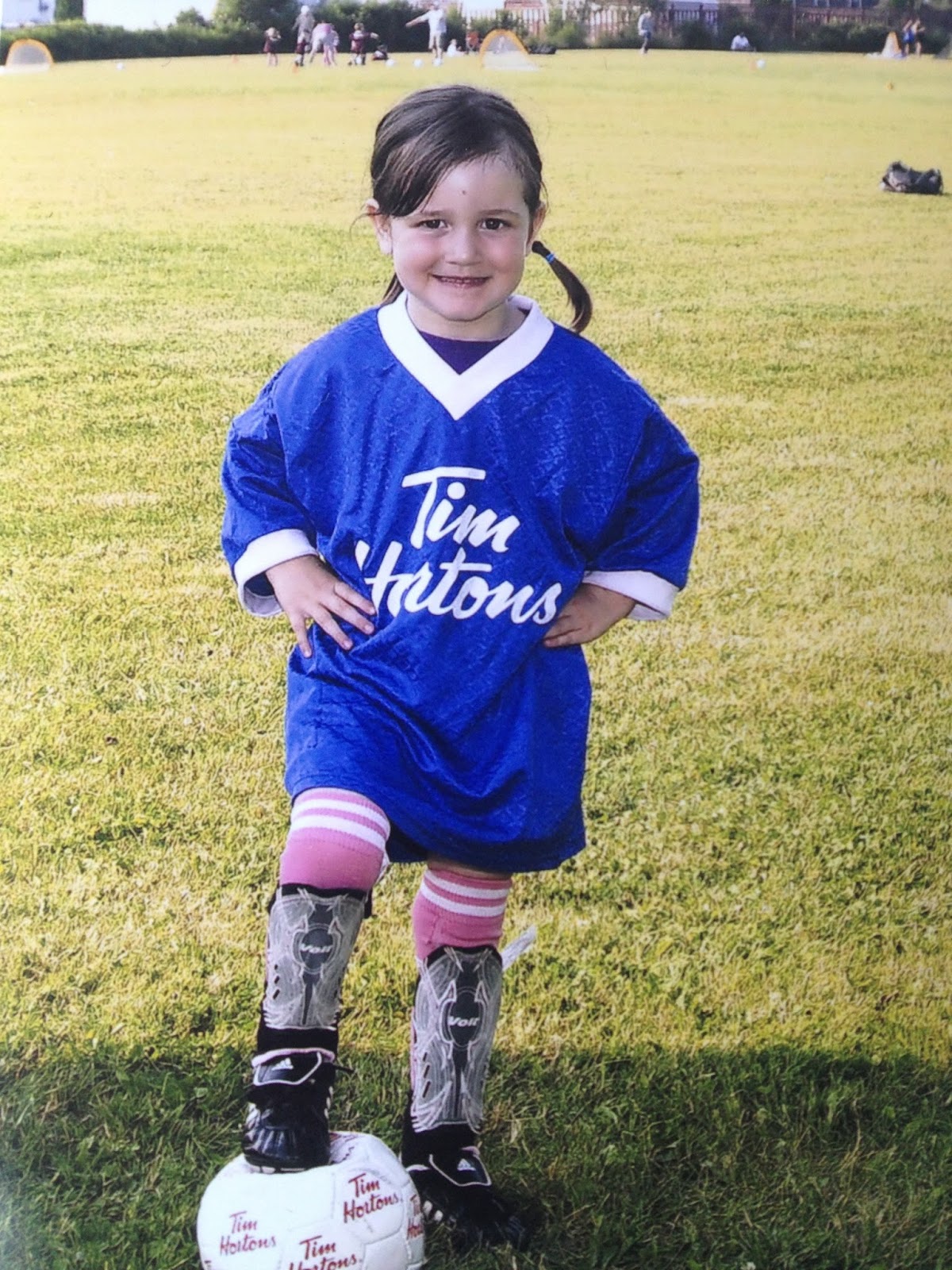
The professional photo of my daughter.  Again, the weird light doesn't make her look like her.  The soccer ball prop is flat.

My photo of my daughter, taken with my iPhone and edited with Smilebox.  The soccer ball is normal.

The professional photographer charged me $15 each package for a team photo with a 3x5 plus 2 4x6 pictures.  Getting any sports cards would have been an extra $10 each.  I spent $30 for crap pictures.
Doing it myself cost me $1.40 for 10 4x6 edited pictures at Costco.  Smilebox is a free app for your iPhone.  I added their names to the pictures on the ones I ordered. 
To get this look, I clicked:
1. Designs
2. Life
3. Sports
4. MVP assortment
5. Camera Roll to choose the picture I wanted
6. Chose the frame I wanted
7. Chose the sticker I wanted and re-sized it in place
8. Brightened the picture
9. Chose Pop for the coloring
10. Chose All Caps for the lettering, typed in the text I wanted, re-sized it in place and saved it to the roll.
I then uploaded them to my computer and uploaded again to Costco photo.  The pictures are ready a day later.  I can choose as many as I want and the size I want.

Smilebox on your computer http://www.smilebox.com/
Smilebox at the app store

Friday, March 22, 2013

Saturday, April 14, 2012

Getting Pictures of the Kids - a Parent's Easter Journey

Last year I got a really nice picture of the 3 kids on Easter Sunday. They were all dressed up for church anyway.  And they were great about it.  The picture was so good, I put it on a mug for my grandmother.  This year I thought I would do the same thing.  Kids are dressed up, I put my quilt down and set them up for a picture.  This is what happened.  I always try to take as many pictures as I can because with three, you have to be ready for THE shot. 
Take 1 - blurry and the girl dives over her brother in giggles
Take 2 - blurry, no good faces on them anyway
Take 3 - almost, but the oldest has his tongue sticking out
Take 4 - better, but now my oldest is buggy eyed
Take 5 - now he's closed his eyes to compensate for the buggy eyed previous shot
Take 6 - now the two boys have their eyes closed
Take 7 - girl is losing interest and is blocking #2 child
Take 9 - We're losing interest from 2/3 here
Take 10 - not great, but the best so far
Take 11 - more of the same, but a little bit better
Take 12 - we're losing them again and we're out of time, off to church we go.  I have a brilliant idea that unless I figure out how to transpose heads or fix expressions in Photoshop I'll have to go with plan B when we get home.  Plan B is to get individual shots of the kids to create side by side pictures instead.
I start with my oldest.  2 shots and he's done, one from the front angle...
And one from the top.
Then comes my 2nd born - again, he's ready to go, nice smile
Very sweet
Lookin' Good
Still good.
And from the top - a little blurry
Getting there
That's the one!
And one extra.
Now it's the girl's turn. - Shot 1, she actually sits on the blanket, but won't look at me, just wants to play with the Easter Eggs
Then she's up, playing with the blinds
She teases me by saying she'll come back to the blanket
And she's off
On the blanket but refusing to sit
She'd rather check out the Easter Eggs
Still won't look at me
Gone to see what her brothers are up to
Too Noisy!  She tells them
And closes the doors - this is the picture she posed for

After more of the same running around and chasing and then rolling on the blanket, she consents to sit on the blanket once more, still not looking at me
playing with her tights
Still playing with her tights, but at least she's looking at me now
The best I can get and still not great - but at least she's sitting, looking somewhat happy, ponytails still in, tights still on - after this those ponytails were out, and comfy clothes were on instead.
Photos with a 2 year old!
A little side note about the Easter Dress.  My sis in law bought this for her last year to grow into.  It's so perfect for Easter.  When I showed it to her that morning, she said, "Yes, my dress!  I princess!" She was all over it.  Oddly enough, she refuses to wear her pretty Mary Janes style shoes anymore, she has to have her Tinkerbell sneakers on because Tinkerbell is a princess too.  She's definitely becoming a girly girl with her own sense of style.
 

Wednesday, September 21, 2011

My Commute

The other morning Jonathan had to come into town with me. So I took advantage of it and took a few pictures with my iPhone for you all to see how pretty it is out here.